How to Export .apkg
Step 1
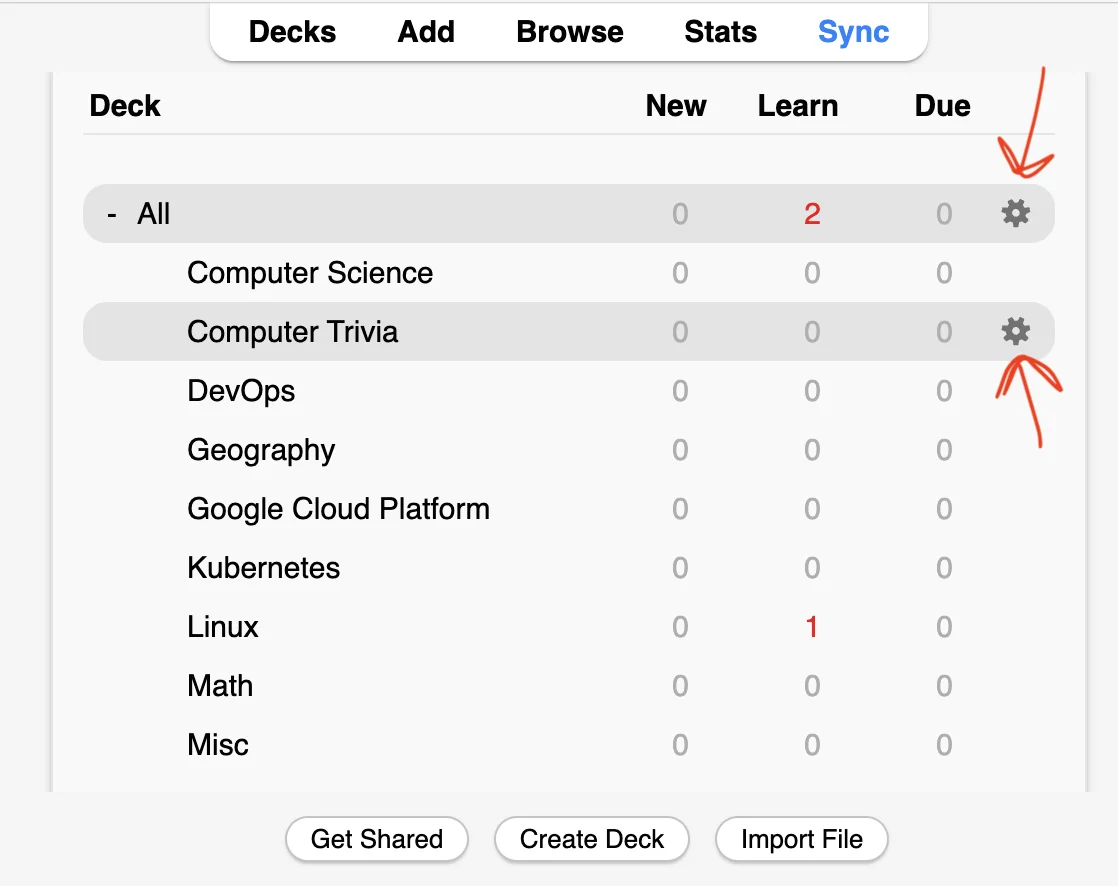
Click on Gear Icon
You can choose to export either a parent deck or any child deck you prefer.
Step 2
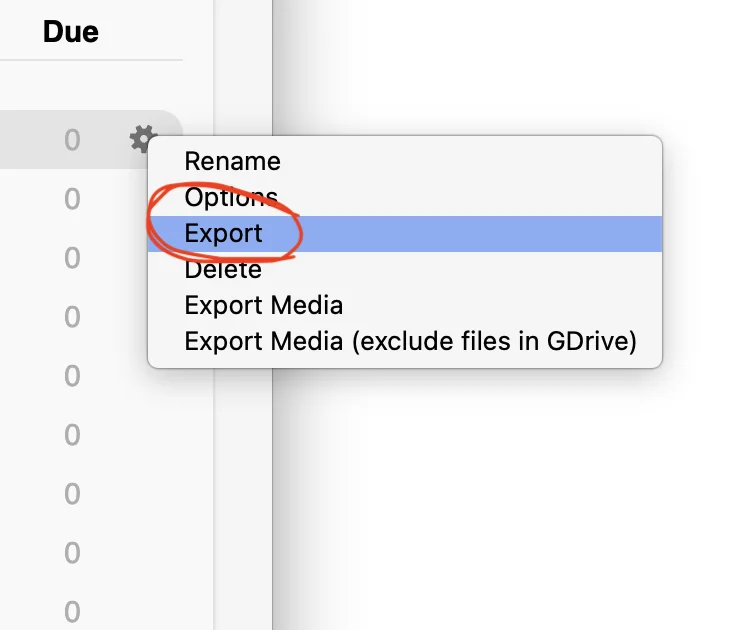
Click on Export
Click on the "Export" option.
Step 3
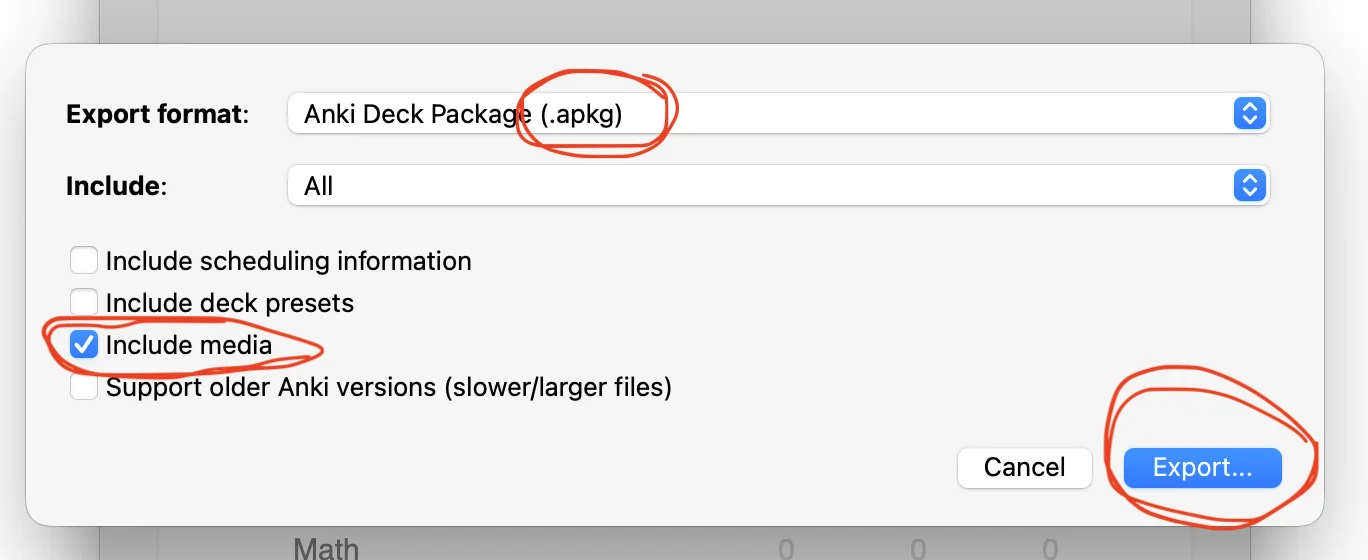
Export w/ Media
Ensure that you include media so the auditor can view the card in the same way that you do. Export as an .apkg so your upload will be accepted.